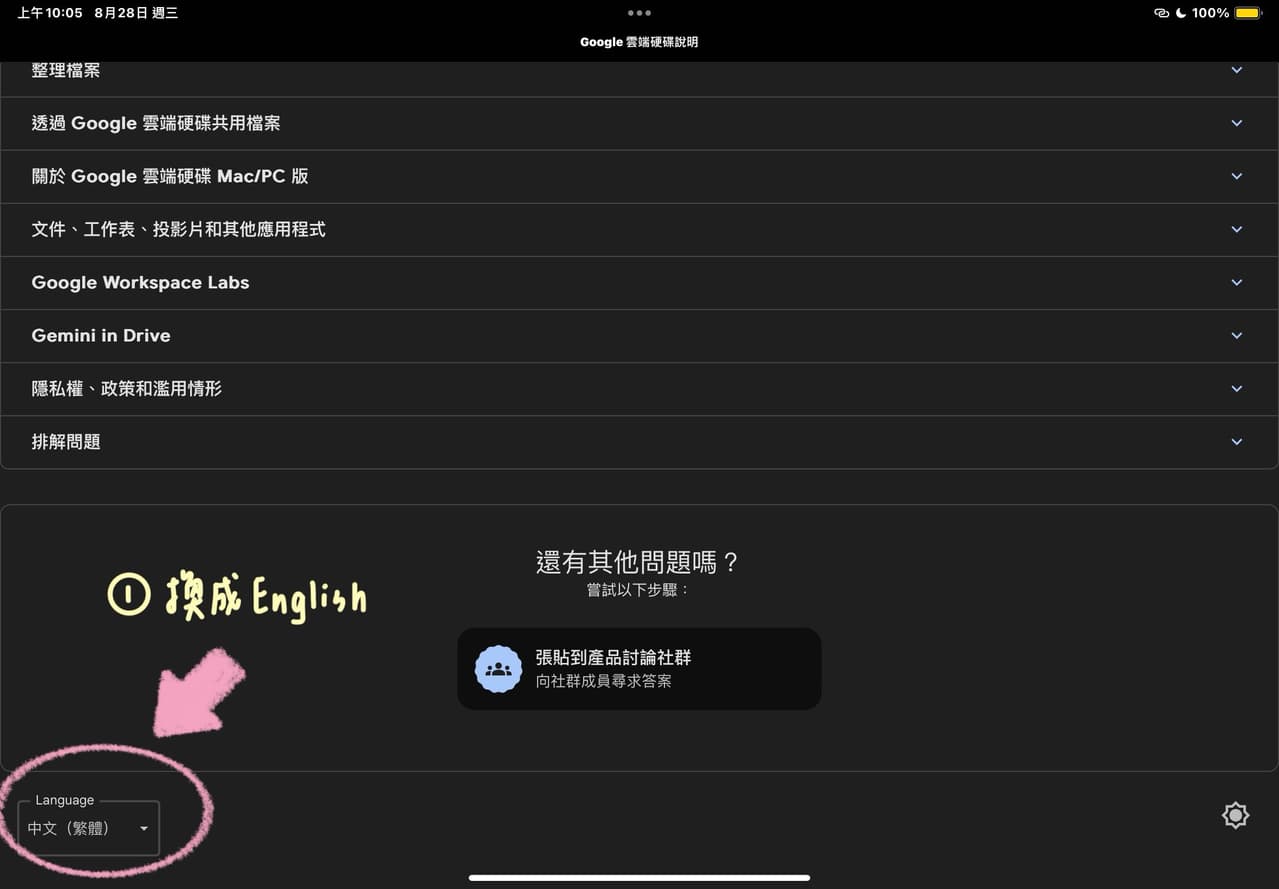
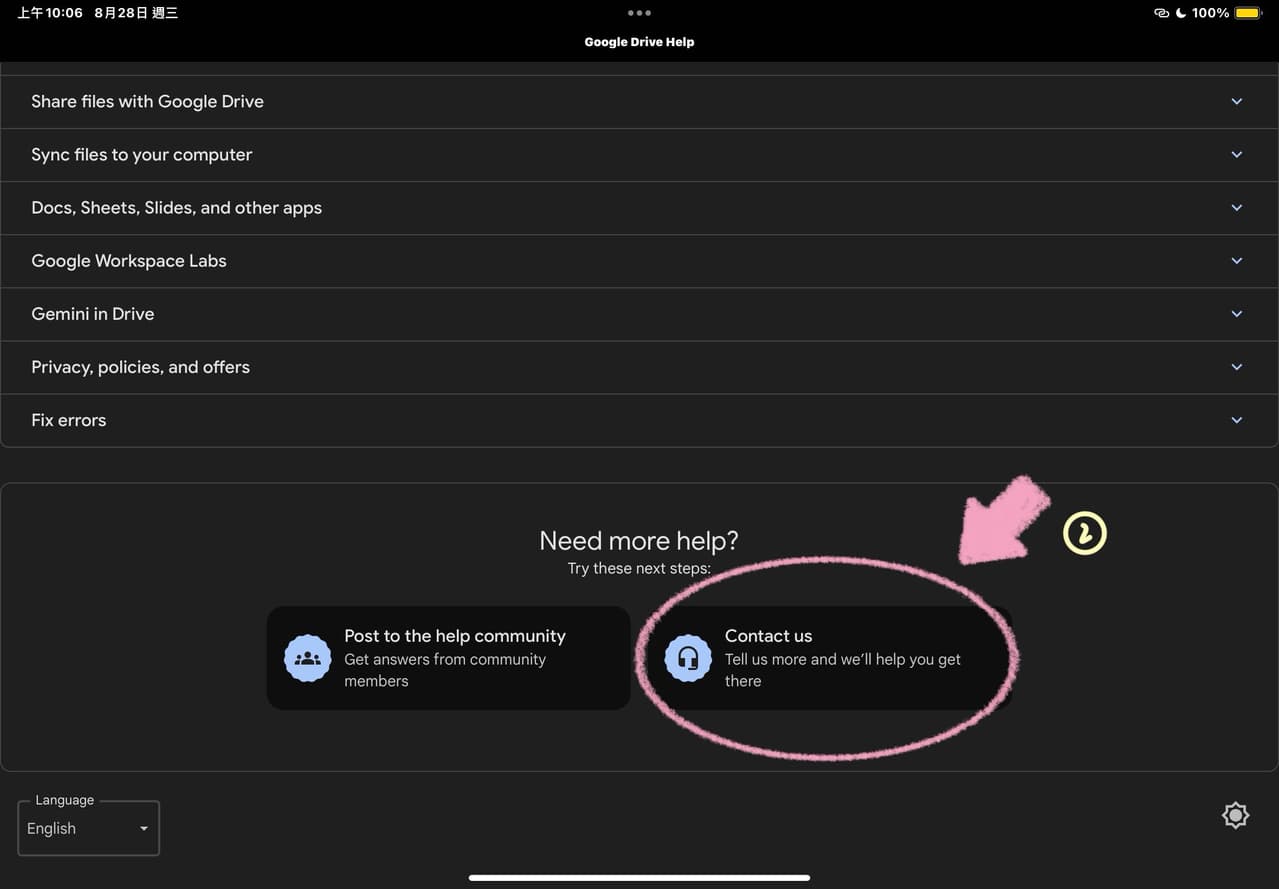
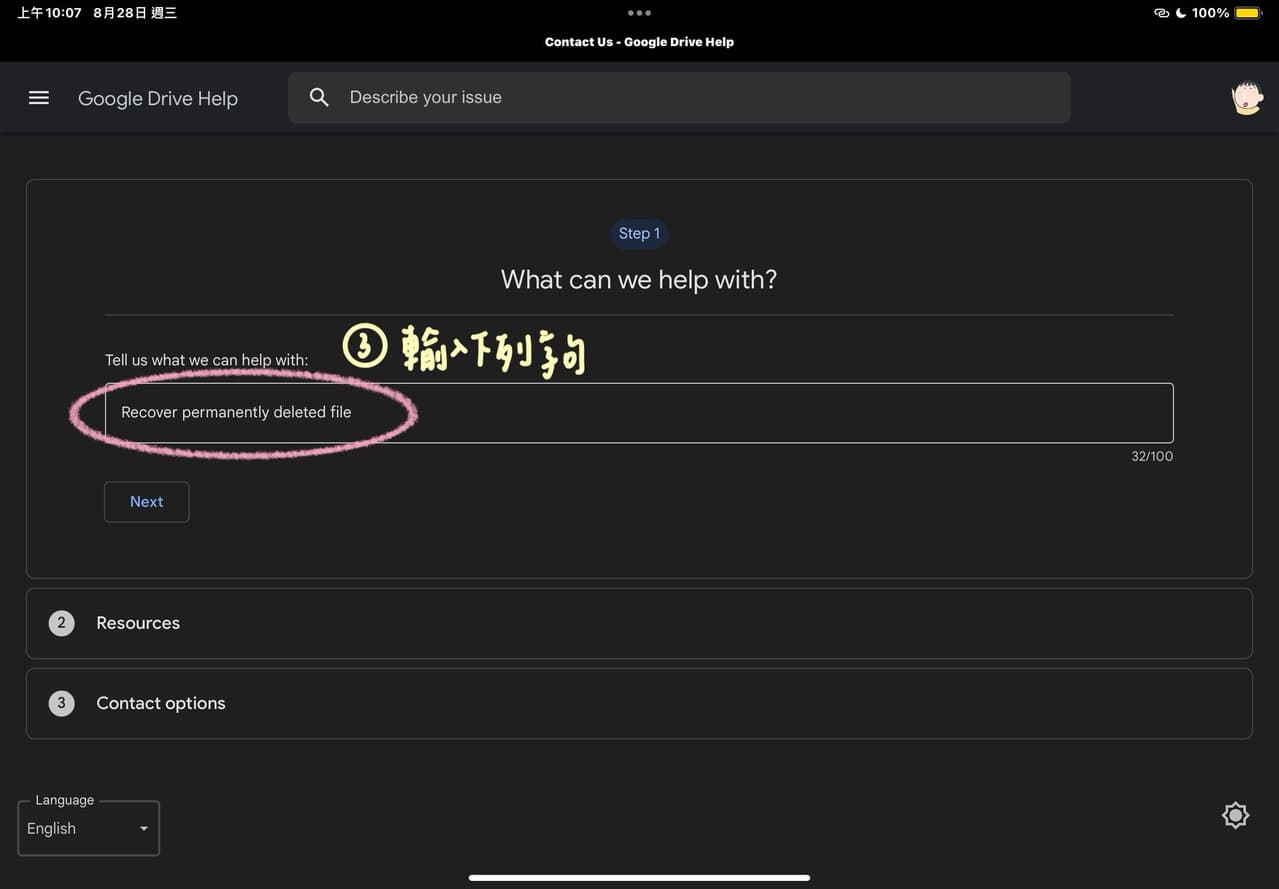
(3) 在 Tell us what we can help with 的地方打上「recover permanently deleted file」
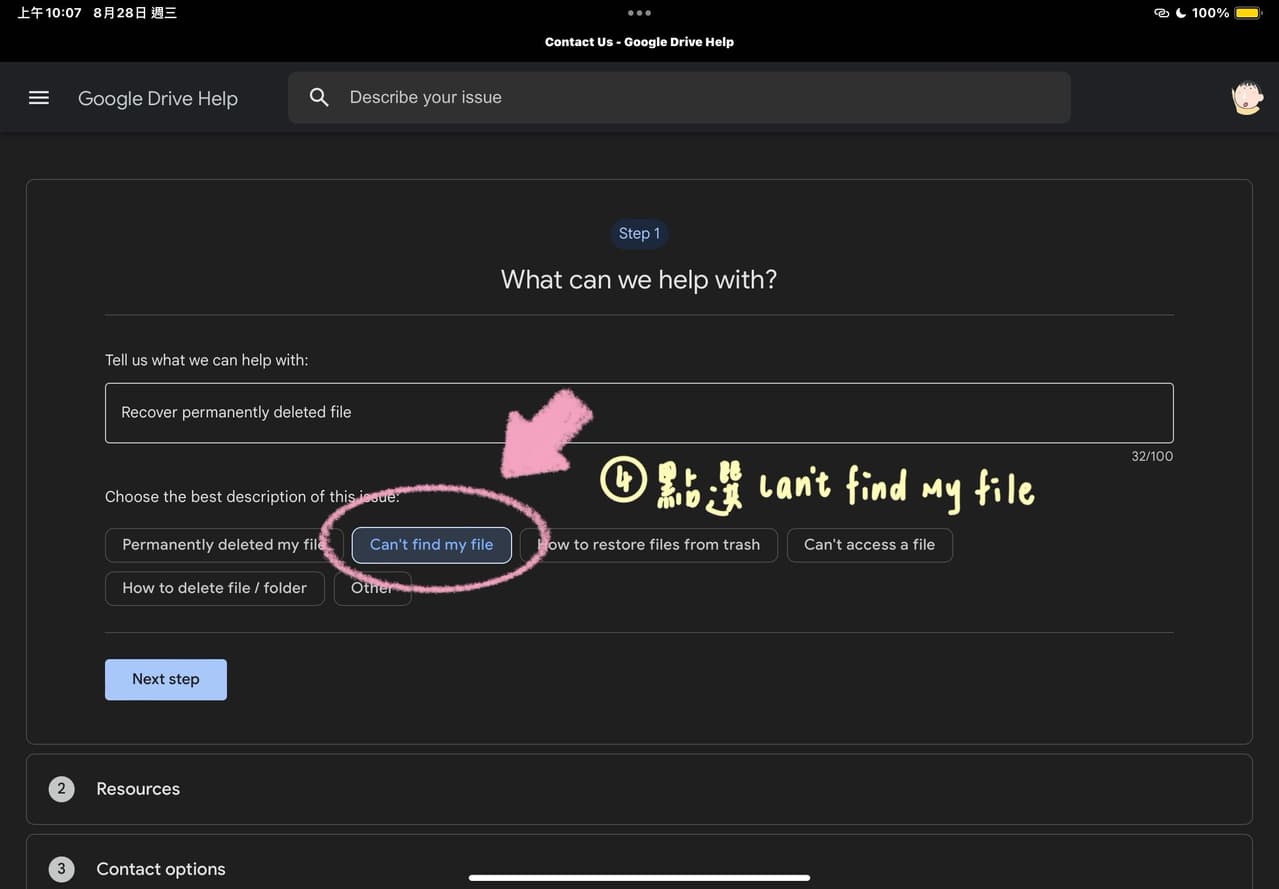
(4) 點選 can’t find my file
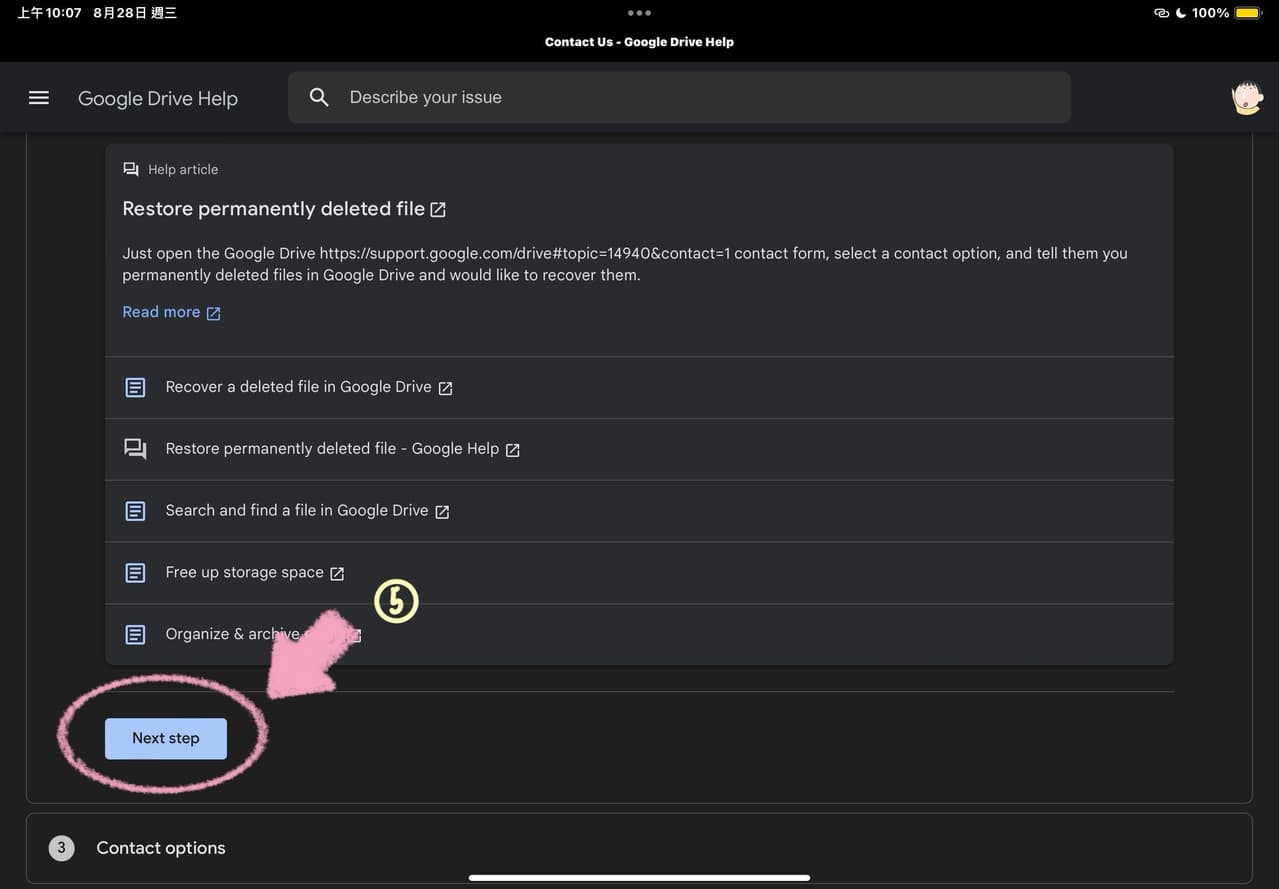
(5) 按圖示點選
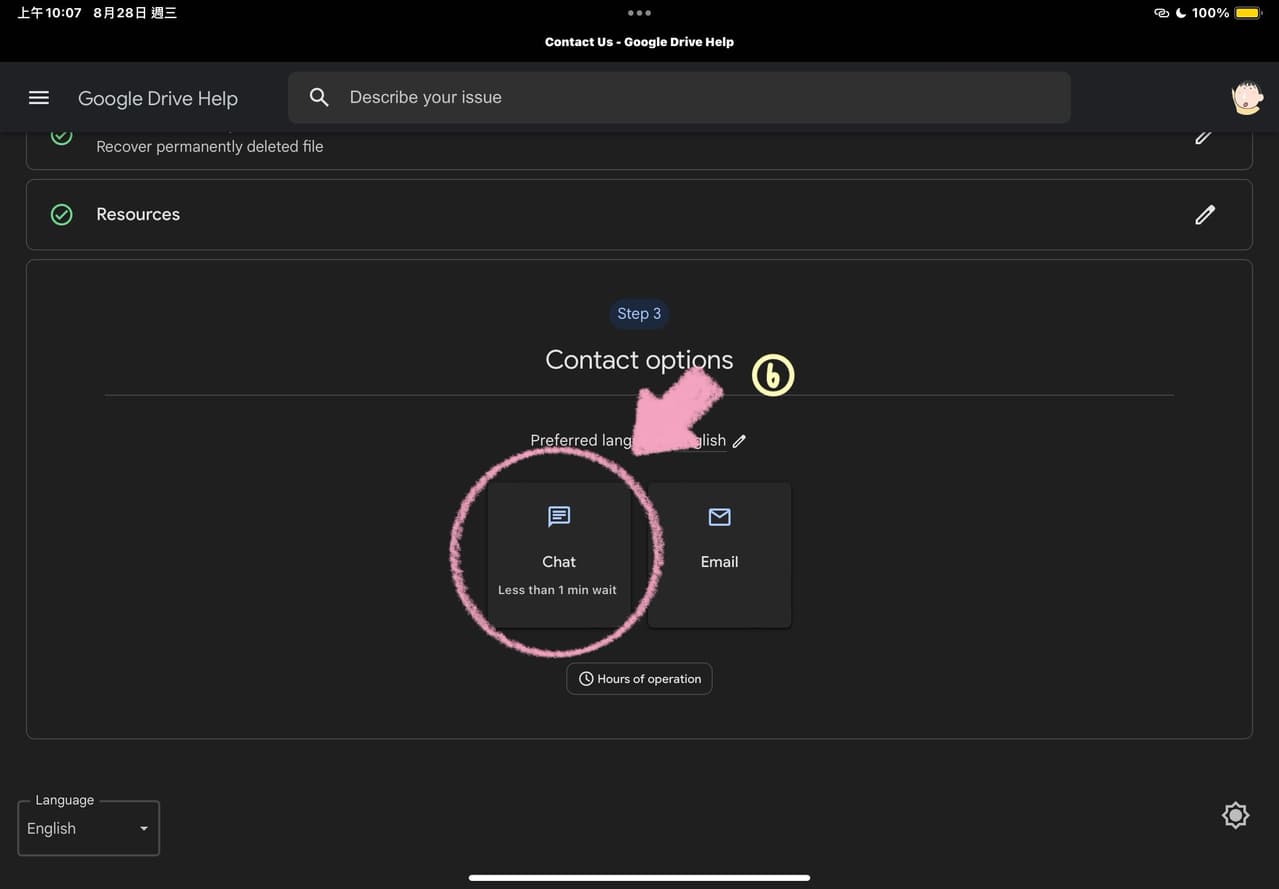
(6) 點選 chat
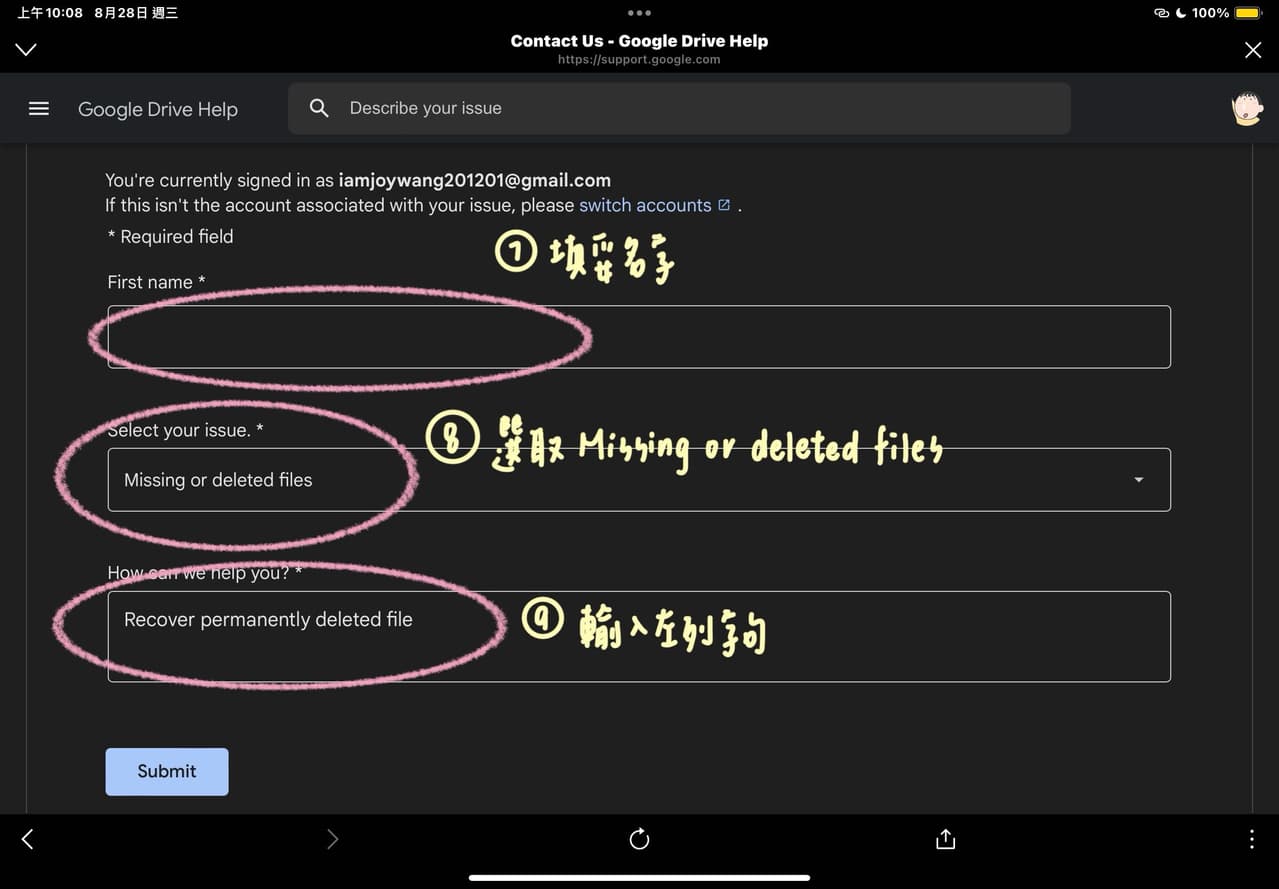
(7) (8) (9) 按圖示操作
(10)
接下來就會進入聊天室:
可以先輸入"Hello, I accidentally deleted a file from Google Drive. Could you please help me recover the file?"
接著對方會跟你確認你的電子郵件並詢問一些問題,大致上只需要回覆"Yes" or "OK" 即可。
但是!要特別注意一個問題,就是"When were they deleted from Google Drive trash?"
這時候就要回答你誤刪檔案的日期,如果是當天誤刪的,就回答"Today"即可。
接著專員就會幫你回復檔案啦!這時候只要去google drive應該就會看到那些被永久刪除的檔案了🤩💫👊🏻😭🥳🔥🎆
㊗️大家都能順利找回自己的檔案!